

Authorized trainers can issue vouchers and have them delivered by email. Invitees can redeem them with an eligible account. Access is governed by trainer and account permissions; no additional program activation is required.
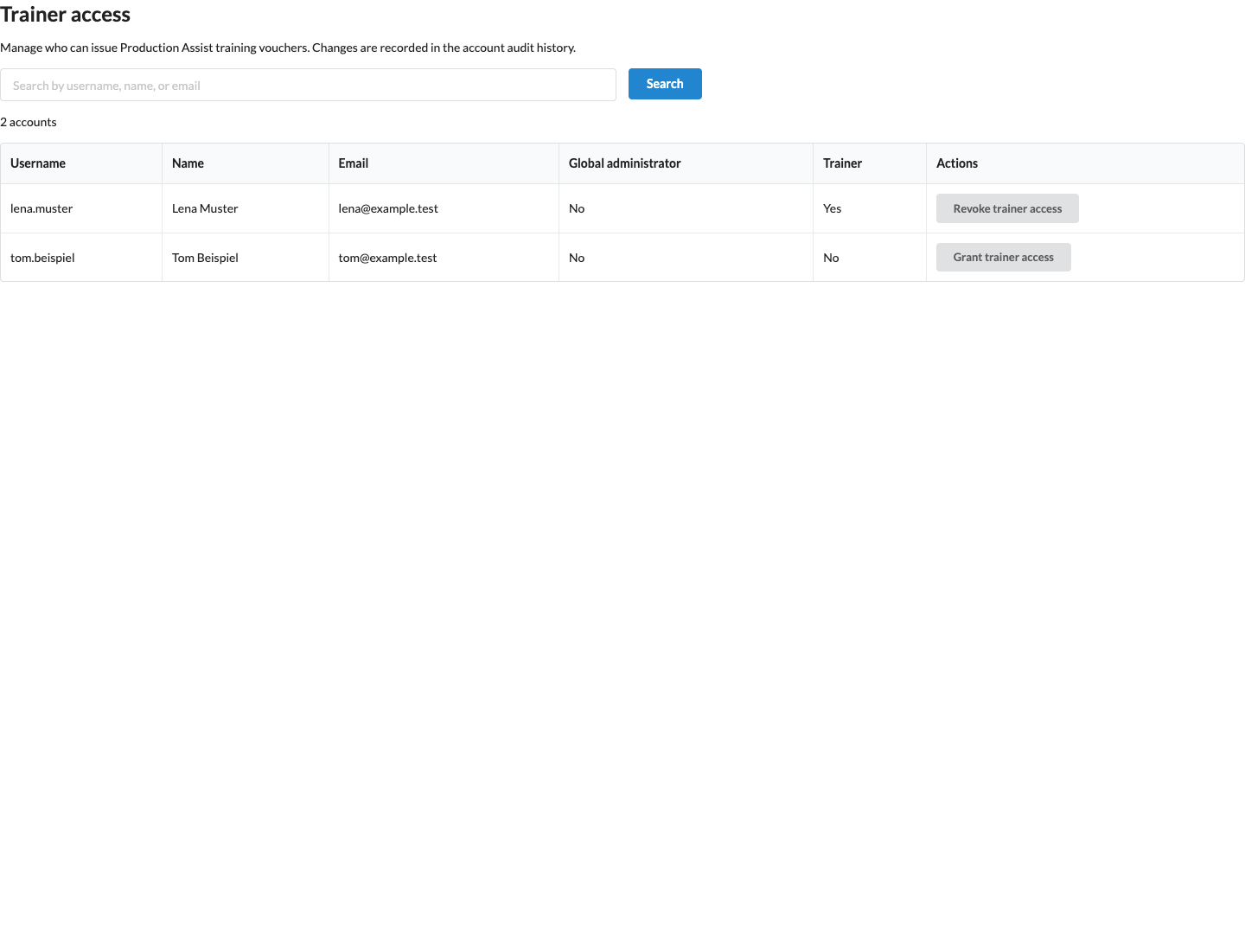
Only a Production Assist administrator with global administrator rights can grant or revoke trainer access in the administration area under User management → Manage training voucher trainers. An account administrator cannot register themselves or other people as trainers. Trainer access applies to the signed-in account; switching the managed account in user settings does not change whose vouchers are displayed or issued.
The screenshots on this page show the English interface with synthetic example accounts. Grant trainer access grants trainer access; Revoke trainer access revokes it. After access is revoked, no new vouchers can be issued. Vouchers already issued and trial periods already started remain valid.
A trainer opens User settings → Training vouchers. There, they can enter an email address, issue a voucher, and view the delivery, redemption, and subscription status of their own vouchers. The trainer cannot see payment methods, invoices, or payment amounts. The overview distinguishes between created, delivered, redeemed, trial period in progress, first successful payment, and current subscription status.
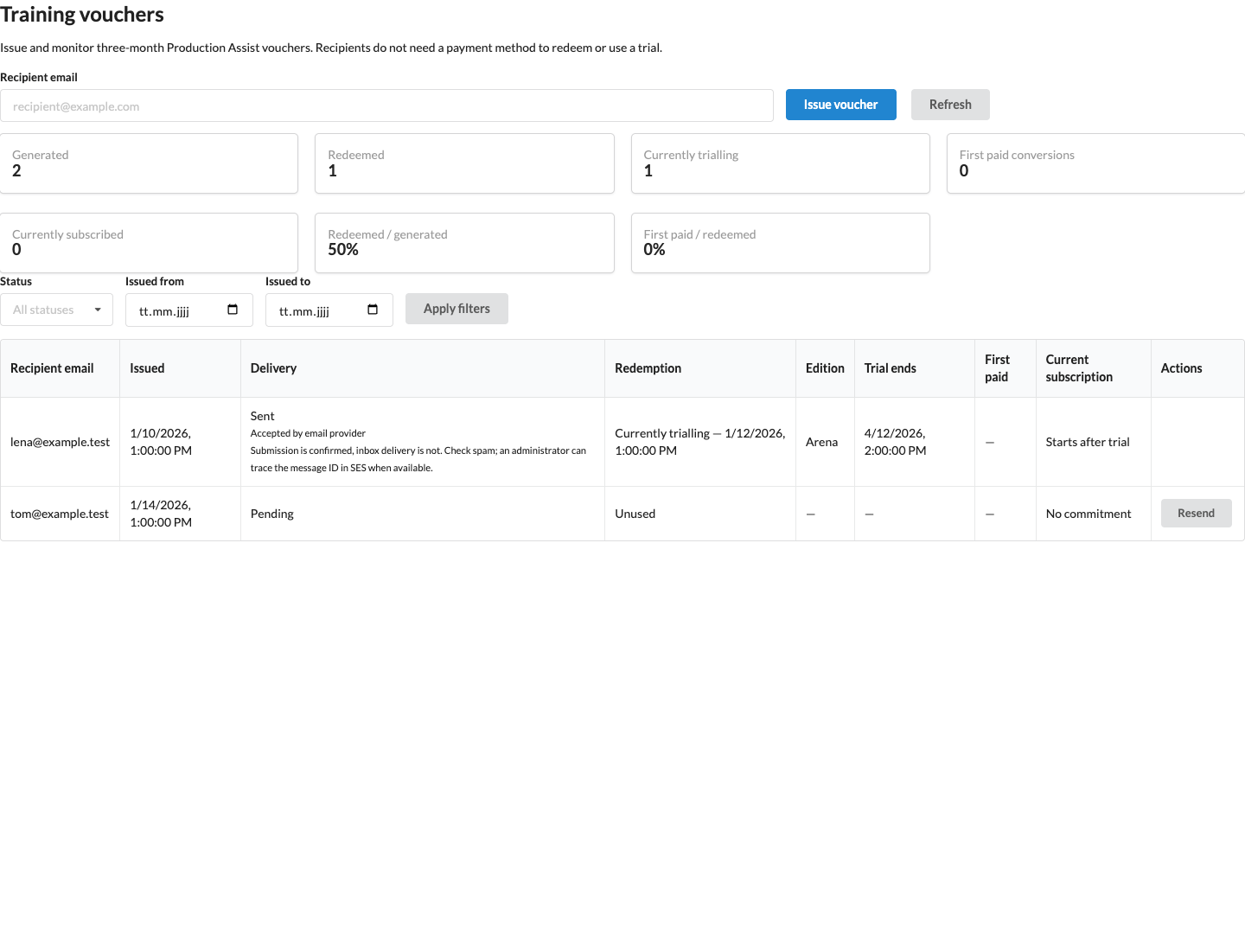
The metrics apply to all vouchers matching the selected date and status filters, including across multiple table pages. Redeemed / generated shows the share of vouchers that have been redeemed; First paid / redeemed shows the share with a first successful paid subscription payment. A redemption or a plan scheduled for later is not yet a paid conversion. A later cancellation does not remove the historical first payment; the current status and, where applicable, its end date are shown separately alongside it.
The voucher is tied to the email address entered. The same normalized email address can receive a trainer voucher only once, even if the first voucher expires or was issued by another trainer. An existing account is eligible only if it uses the free Community plan and has not yet redeemed a trainer voucher. Paid accounts are excluded.
After a successful issuance, Production Assist automatically sends an invitation email. An unused voucher must be redeemed within 90 days of creation. If delivery fails, the voucher remains reserved for a later send attempt. The resend button uses the same voucher, may invalidate the existing link, and neither extends the redemption deadline nor creates an additional voucher.
Enter the address in Recipient email (Recipient email) and choose Issue voucher (Issue voucher). Sent (Sent) confirms delivery to the email service. Pending (Pending) or Failed (Failed) means that a delivery attempt is still pending or needs to be repeated. Refresh the display with Refresh (Refresh). An unused, still-valid voucher can be sent again with Resend (Resend); there is a five-minute waiting period between delivery requests. If a voucher already exists for this address, another one is not created.
The confirmation initially shows the estimated end date if redeemed immediately. The success message then gives the binding end date. The example screenshot shows Arena before confirmation; Redeem voucher remains disabled until the checkbox is selected. Manage subscription takes you to the account page after successful redemption. If the license does not update immediately, reload the page.
If your session expires during checking or redemption, Sign in and Create account appear again. Choose Sign in and sign in in the same browser tab with the account whose email address received the voucher. The voucher remains saved and you return to redemption. Check the edition and confirm redemption again; the session notice does not redeem the voucher.
If The request failed. Please try again. appears, the request failed temporarily. Try redeeming again or open the original link in the same account. If redemption has already been reserved, only the edition originally chosen remains available; the original end date is retained. Another attempt does not create another trial period. If Your subscription is being updated. Please try again shortly. appears, wait briefly and repeat the request.
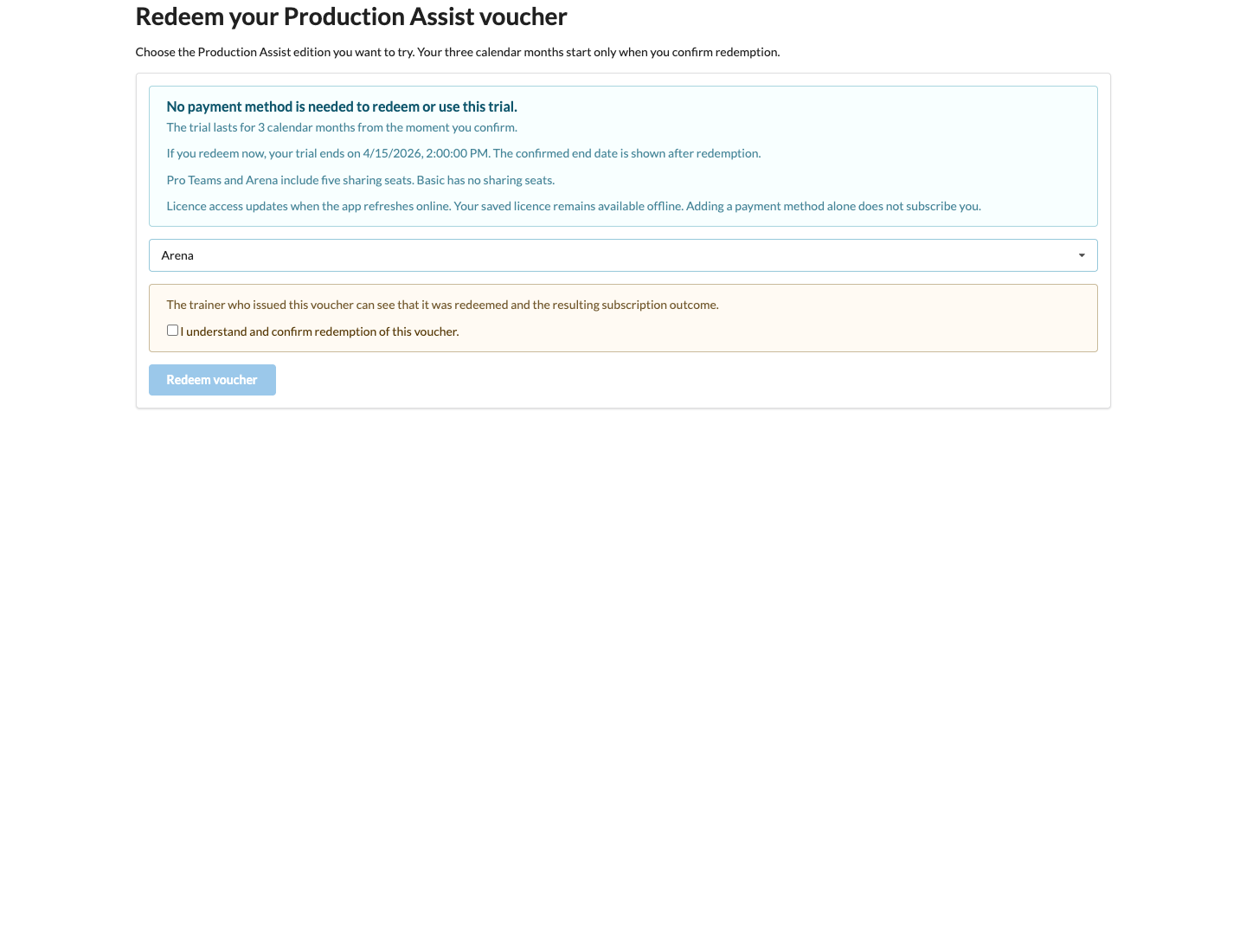
The program is tied to the Production Assist account. An account can redeem only one trainer voucher. The issuing trainer can see whether the voucher was redeemed and what subscription status the account has later.
Basic includes no license shares. Pro Teams and Arena each include up to five license shares during the voucher period. During the regular online license update, these shares follow the account holder's Stripe trial period. Project memberships and project access are not removed as a result.
During the free Stripe trial period, the account page shows the selected edition and its five associated shares. No subscription payment is due during this time. Additional seats are not part of the voucher offer. Trial access shared with you cannot be shared onward. If a share expires, an independently valid personal trial period, paid plan, or other valid share remains available.
Without an explicitly confirmed paid subsequent plan, Stripe ends the trial subscription on the displayed end date. At the next regular online license update, the account receives Community or independently valid access. Adding a payment method alone is not consent to a subscription. If a paid plan is confirmed during the trial period, the confirmation page shows the plan, billing cycle, and date of the first payment; payment starts no earlier than the original end of the voucher period. See Change subscription in Production Assist for details.
The native license and offline storage remain unchanged. Without an internet connection, the stored account or project license remains usable; the trial period does not interrupt an ongoing offline session. Therefore, stored access may continue beyond the Stripe end date until the application performs its regular online license update. This also applies to stored shared licenses.