

The Production Assist Core API allows external planning applications to have a 3D model calculated in Production Assist Desktop and then incorporate the provided calculation results into their own workflow in a machine-readable form. The interface passes the model as a file or through a retrievable URL and returns the results as a JSON file or by HTTP POST. This allows the calling application to associate model objects and calculation results with its own project.
Production Assist Desktop must be installed on the user's computer for every integration. The local application opens the registered productionassist:// link; Production Assist Desktop passes the model to Production Assist Core and starts the import and calculation process. In a web service integration, the web service provides the model through a URL and receives the JSON results at a return URL. Production Assist Desktop still runs on the user's computer.
This guide is for developers integrating their own application or a web service. It describes the current deep link contract, model transfer, and result format. Structural object information can be passed in glTF/GLB through the PA_model extension. The importer also supports CAPTURE_model; if both extensions are present, it uses CAPTURE_model.
The calling desktop application and Production Assist Desktop run on the same computer. The external application stores the model in a location accessible to both programs and starts Production Assist through the registered URL scheme. Production Assist imports the model, performs the calculation in its Core, and saves the JSON results at the specified return path.
In the web service integration, the client application starts Production Assist Desktop with a deep link containing a model URL and a return URL. Production Assist downloads the model from the web service with HTTP GET and sends published calculation results to url_back with HTTP POST. The web service provides the model for retrieval and processes the JSON payload returned.
The deep link must be opened by an application on the computer where Production Assist Desktop is installed. A web service running only on a remote server cannot itself trigger the registered local URL handler. A web application therefore needs a client-side step to open the deep link on the user's computer.
productionassist URL scheme.url and url_back must be reachable from Production Assist.PA_model; this extension description does not apply to other supported formats.The current deep link handler supports file and url for model input, as well as file_back and url_back for returning results. url downloads an input model. For url, the importer recognizes .3ds, .fbx, .gltf, .glb, .obj, .stl, .dae, and .ifc; if it cannot recognize the extension, it also checks the GLB identifier. The PA extension described here and the export examples refer to glTF/GLB.
productionassist:// link with the input parameters and optional return parameters.url, then processes the model.file_back is set and also sends a JSON payload by HTTP POST if url_back is set.For a local process, wait for the output file and make sure the write operation is complete before reading it. Set a timeout for cases where Production Assist closes or provides no results. The code specifies neither atomic writing nor a particular wait time. For url_back, the web service itself must provide authentication, permissions, POST acceptance, and response handling; the Core does not document an additional retry or delivery status contract here.
The JSON output in the current code contains the fields SchemaVersion, Results, Loads, WindLoads, ActiveLoadCombination, Errors, and InfluenceLines.
Production Assist Desktop registers the productionassist URL scheme.
productionassist://production_assist_calculate?file=...&file_back=...
| Name | Required | Type | Description |
|---|---|---|---|
file | No | string | Local path to the input file. The handler passes the value to the import command. |
url | No | string | URL from which the import command downloads the model. The format is detected for the .3ds, .fbx, .gltf, .glb, .obj, .stl, .dae, and .ifc extensions. |
file_back | No | string | Local path where Production Assist saves the JSON calculation results. |
url_back | No | URL | Destination to which Production Assist sends the JSON calculation results using HTTP POST. |
The implementation does not explicitly require any parameter for this deep link. For file exchange, provide a valid input path (file); for a local response, provide an output path (file_back). For a URL input, use url, and use url_back if you want an HTTP response. If file and url are both set, the importer processes url first.
#, ?, and &.Example of local input and local output:
productionassist://production_assist_calculate?file=C%3A%5Ctemp%5CCCP.glb&file_back=C%3A%5Ctemp%5CCCP.json
Example of a model from a web service and an HTTP response:
productionassist://production_assist_calculate?url=https%3A%2F%2Fexample.org%2Fmodels%2Fshow.glb&url_back=https%3A%2F%2Fexample.org%2Fapi%2Fcalculations%2F123
The example URLs are placeholders. The web service must allow the model to be retrieved using GET and accept the result payload at the response endpoint using POST. Encode each parameter URL component before assembling the deep link.
PA_model glTF Extension#The extension adds structural and device data to glTF 2.0 assets and nodes, which the Production Assist importer evaluates.
PA_modelasset and node"xxxxxxxx-xxxx-xxxx-xxxx-xxxxxxxxxxxx"The tested export files list PA_model in extensionsUsed. The importer uses CAPTURE_model if that extension is present; otherwise, it reads PA_model. The current GLB export of symbols writes both extensions with the same model information. The example shows the extension at the asset level:
{
  "asset": {
    "version": "2.0",
    "extensions": {
      "PA_model": {
        "identifier": "00000000-0000-0000-0000-000000000000",
        "layers": []
      }
    }
  },
  "extensionsUsed": ["PA_model"]
}
asset.extensions.PA_model)#The following fields are used by the current glTF export and import paths. The importer does not run a separate schema check that validates all fields as required.
| Name | Type | Default | Description |
|---|---|---|---|
identifier | string | — | UUID of the asset. |
layers | array[layer] | [] | Layers that can be assigned to imported nodes. |
layer Object#| Name | Type | Default | Description |
|---|---|---|---|
identifier | string | — | UUID of the layer. |
name | string | — | Display name of the layer. |
nodes[i].extensions.PA_model)#| Name | Type | Default | Description |
|---|---|---|---|
identifier | string | — | UUID of the node. If no valid UUID is read, the importer creates a new one. |
layer_identifier | string | "" | UUID of the layer from asset.extensions.PA_model.layers. |
truss | truss | — | Truss and structural data, if present. |
sling | sling | — | Sling geometry, if present. |
fixture | fixture | — | Fixture and patch data, if present. |
panel | panel | — | Device data for a panel, if present. |
fixture#| Name | Type | Default | Description |
|---|---|---|---|
manufacturer | string | — | Manufacturer. |
name | string | — | Model name. |
patch | array[patch] | — | Fixture patch data. |
weight | number | 0 | Weight. |
patch#| Name | Type | Description |
|---|---|---|
channel_count | integer | Number of channels. |
universe | integer | DMX universe. |
channel | integer | Starting channel. |
truss#structure contains entries for sling lines and ground supports. An entry can describe a sling line, a ground support, or both. For points containing exactly two three-dimensional points, the importer creates sling geometry; for ground_support.point with the fields X, Y, and Z, it creates ground support geometry. Coordinates in the glTF file are in meters; Production Assist stores the geometry internally in millimeters. The current export writes sling lines only, with no ground supports or weight value.
| Name | Type | Default | Description |
|---|---|---|---|
structure | array[line] (min 1) | — | Lines and optional ground supports that define the sling geometry. |
weight | number | 0 | Sling weight. |
An entry can define a line, a ground support, or both.
| Name | Type | Description |
|---|---|---|
points | array[2] of number[3] | Start and end points of the sling line in meters. |
ground_support | ground_support | Optional ground support at the specified point. |
| Name | Type | Default | Description |
|---|---|---|---|
point | object with X, Y, Z | — | A single support point in meters. All three numbers are required. |
resistance_x, resistance_y, resistance_z | number | 1 | Translation resistances for the three axes. |
resistance_xx, resistance_yy, resistance_zz | number | 0 | Rotational resistances for the three axes. |
capacity_x, capacity_y, capacity_z | number | 1000 | Allowable forces along the three axes. |
capacity_xx, capacity_yy, capacity_zz | number | 1000 | Allowable moments about the three axes. |
allow_negative_z | boolean | true | Whether the support can resist uplift forces. |
truss#| Name | Type | Default | Description |
|---|---|---|---|
manufacturer | string | — | Manufacturer. |
series | string | — | Truss series. |
name | string | — | Model name. |
atlabase_identifier | string | — | Optional part identifier, which the export fills in when a part number is available. |
structure | truss_structure | — | Truss geometry for the structural data. |
weight | number | — | Weight in kilograms; the current export converts the internal value in grams to kilograms. |
| Name | Type | Description |
|---|---|---|
normal | number[3] | Normal vector of the plane. |
points | array[number[3]] | Centerline points in order. Each point consists of three numbers. |
points | array[2] of number[3] | Start and end points of the sling line in meters. |
ground_support | ground_support | Optional ground support at the specified point. |
sling and Line Geometry#structure contains lines; each line consists of two three-dimensional points. The current export does not write a weight value here.
| Name | Type | Description |
|---|---|---|
structure | array[line] | Lines describing the sling geometry. |
A line with two points.
| Name | Type | Description |
|---|---|---|
points | array[number[3]] | Start and end points of the line. |
panel#| Name | Type | Default | Description |
|---|---|---|---|
manufacturer | string | — | Manufacturer. |
name | string | — | Model name. |
weight | number | — | Weight in kilograms. |
{
  "name": "M1",
  "matrix": [1, 0, 0, 0, 0, 1, 0, 0, 0, 0, 1, 0, -1.35057068, 5.99999952, 1.24985063, 1],
  "extensions": {
    "PA_model": {
      "identifier": "6a6dadc8-592c-4a77-8e7c-05261283ef0a",
      "layer_identifier": "6ed3ab5b-7b5e-4e65-9f8e-39b9b20b9d9c",
      "sling": {
        "structure": [
          {
            "points": [
              [0, -1.77299976, 1.1920929e-07],
              [0, 2.00000048, 0]
            ]
          },
          {
            "ground_support": {
              "point": {"X": 0, "Y": -1.77299976, "Z": 0},
              "resistance_z": 1000,
              "allow_negative_z": false
            }
          }
        ]
      }
    }
  }
}
{
  "matrix": [1, 0, 0, 0, 0, 1, 0, 0, 0, 0, 1, 0, -2, 4.11349964, 1.24985075, 1],
  "extensions": {
    "PA_model": {
      "identifier": "3a38e519-ba87-49ef-af16-0c0a9d4f6e7c",
      "layer_identifier": "6ed3ab5b-7e5e-4e65-9f8e-39b9b20b9d9c",
      "truss": {
        "manufacturer": "Prolyte",
        "series": "H30V",
        "name": "H30V 2m",
        "structure": {
          "center_lines": [
            {
              "normal": [0, 1, 0],
              "points": [
                [-1, 0, 0],
                [1, 0, 0]
              ]
            }
          ]
        },
        "weight": 7.84000015
      }
    }
  }
}
.gltf or .glb).PA_model in extensionsUsed.file/file_back for local file exchange or url/url_back for web service exchange.file_back, wait for the results file; otherwise, process the POST payload at url_back.SchemaVersion, Errors, Loads, WindLoads, ActiveLoadCombination, and Results before using the output in your application.When file_back is set, Production Assist writes a JSON file whenever new calculation results are published. The current source code produces the following wrapper. InfluenceLines contains additional serialized data whose structure is not documented here as a stable contract.
| Field | Type | Description |
|---|---|---|
SchemaVersion | Number | Currently 1. |
Results | Array | Structural calculation results. |
Loads | Array | Loads used in the calculation. |
WindLoads | Array | Calculated wind loads. |
ActiveLoadCombination | Object | Serialized active load combination for the calculation. If no active load combination is available, the object is empty. |
Errors | Object with arrays | Messages grouped by message category. |
InfluenceLines | Object | Additional serialized data, if a result object is available. Its exact structure is not described as a stable contract in this reference. |
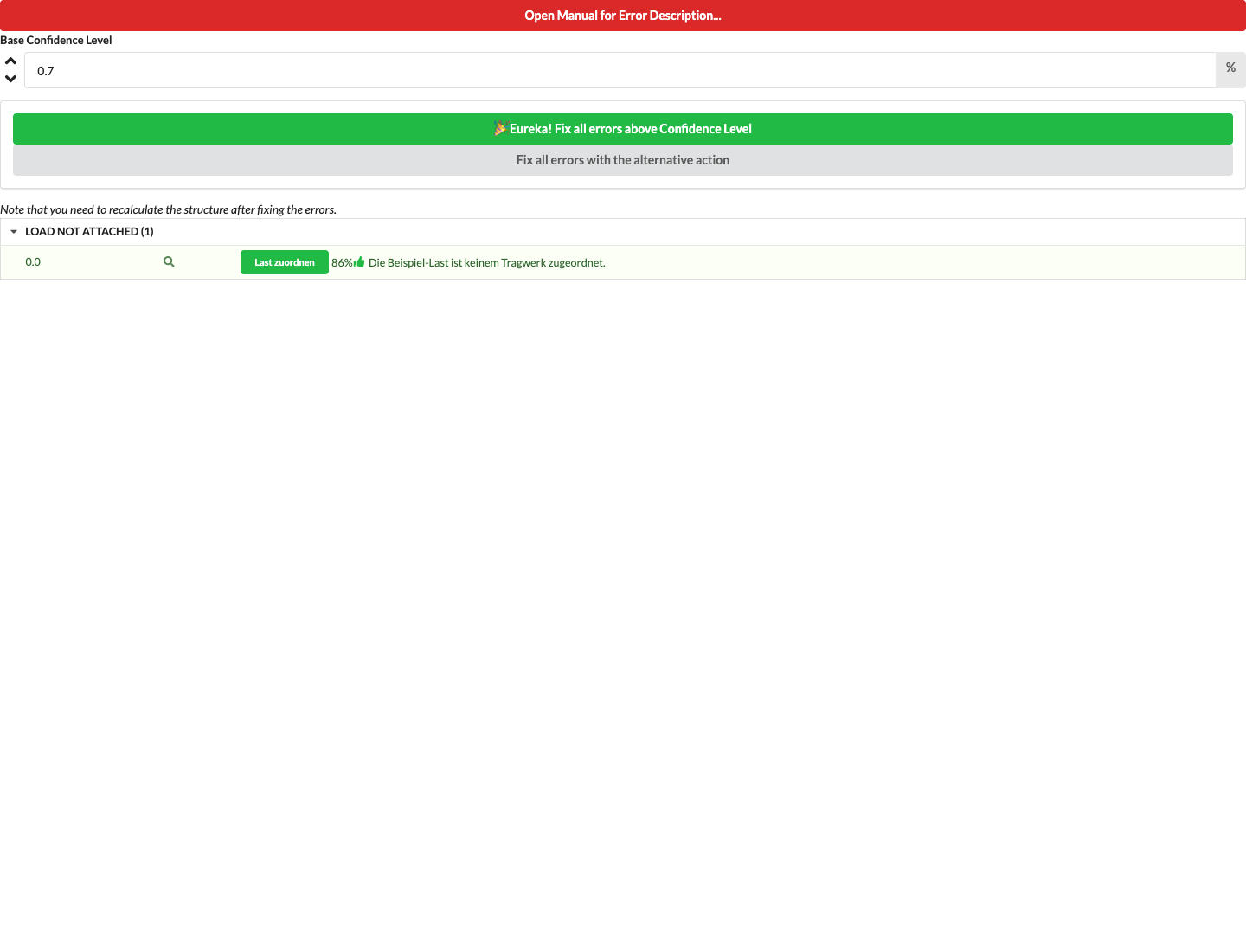
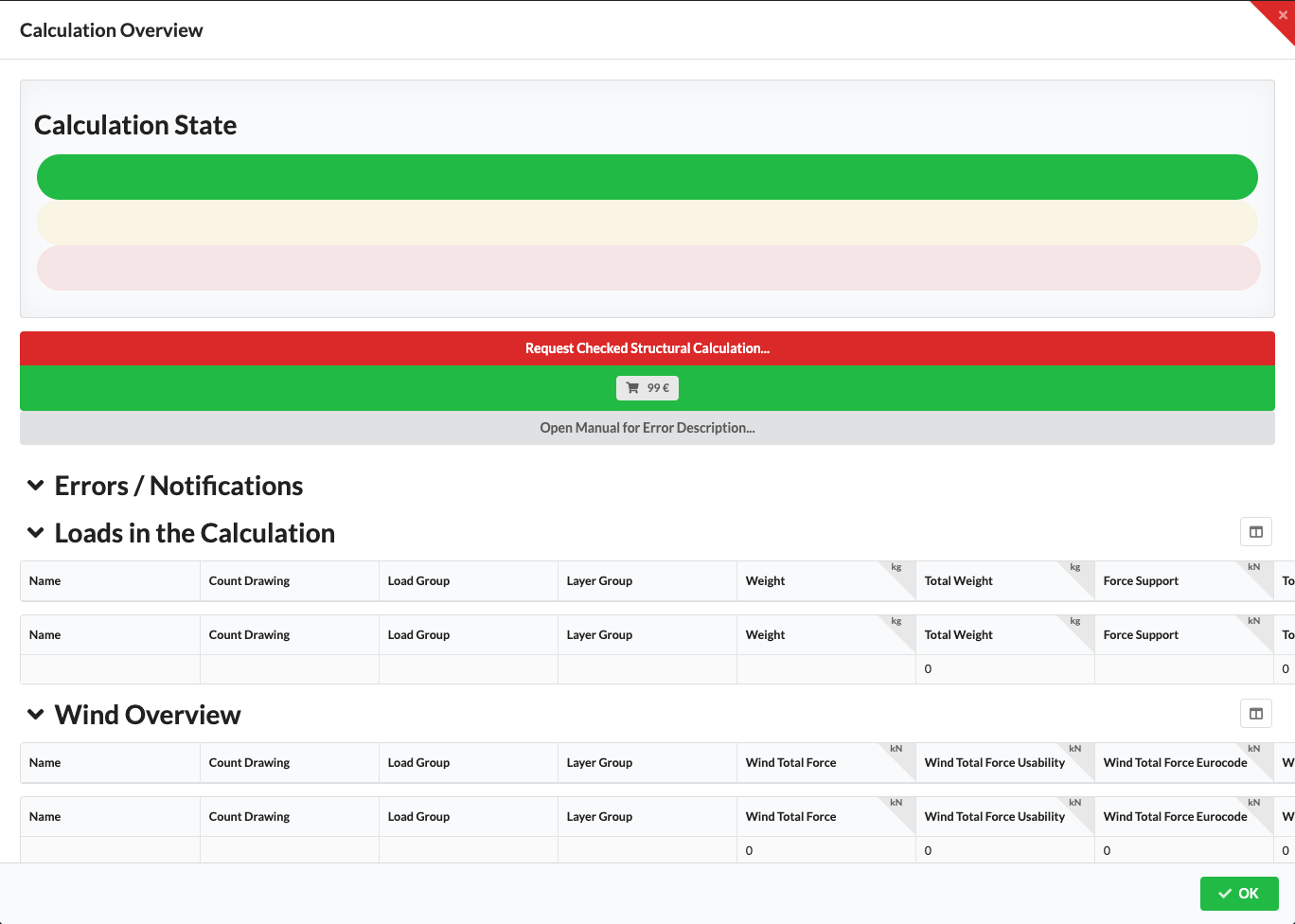
The following UI images were generated with the ui-docs renderer from current Production Assist components. They show examples of check messages, the calculation overview, and structural results in the renderer. They illustrate the desktop interface; they do not represent fields in the JSON output.
Vectors are represented in the serialized JSON output as an object with the components X, Y, and Z. Quaternions use the components W, X, Y, and Z.
Errors#Errors maps each message category to an array of messages. The category keys may vary depending on the message.
| Field | Type | Description |
|---|---|---|
Message | String | Message text. |
Object | UUID string | Primary object associated with the message. |
Objects | Array of UUID strings | Other affected objects. |
ShowInList | Boolean | Indicates whether the message should be shown in a list. |
Error | Boolean | Identifies the message as an error. |
HasFix | Boolean | Indicates whether a correction command is available. |
FixCommand, FixCommand2, FixCommand3 | String | Identifier for a correction command. According to the source code, FixCommand3 is used directly with a payload. |
FixText, FixText2 | String | Label for a correction command. |
Position | Vector | Position of the message. |
Quat | Quaternion | Orientation of the message. |
Length | Number | Associated length, if used. |
DrawHeatmap | Boolean | Controls the heatmap display. |
Color | Vector | Display color. |
TextStyle | String | Style identifier for the display. |
Payload, Payload2 | String | Additional payload data. |
Confidence | Number | Confidence value of the message. |
UseInAutoFix | Boolean | Indicates whether the message can be used in an automatic correction. |
DisplayFormatting | Object | Display options for text and background. |
The DisplayFormatting object contains Valid, TextSize, HasLeader, HasRectangle, BackColor, TextColor, RectangleTopLeft, RectangleBottomRight, and UsePositionAsTextAnchor. Colors and positions are vectors. In AutoCAD and BricsCAD, UsePositionAsTextAnchor places the text origin at Position and skips automatic label offset and overlap placement. JavaScript-engine mark() defaults this flag to true and HasLeader to false; a Formatting object can override either value.
Loads#Each entry in Loads describes an aggregated load position or load group.
| Field | Type | Meaning |
|---|---|---|
ObjectID, Key | String | Object and grouping keys. |
Name | String | Display name of the load. |
Count | Number | Quantity or, for distributed loads, the discretization used. |
LoadGroupName, LayerName | String | Associated load group and layer. |
TotalWeight | Number | Total weight in the unit used in Production Assist. |
ForceSupport, ForceStructure | Number | Force contributions at supports and in the structure, respectively. |
Set | Boolean | Indicates whether the load was explicitly set. |
DistLoad | Boolean | Indicates whether the load is distributed. |
WindLoads#Each entry in WindLoads describes a contribution from the wind load calculation. The following field names come from the currently serialized data type; numeric values use the units applied in the model or in Production Assist.
| Field | Type | Meaning |
|---|---|---|
ObjectID, Key, Name | String | Object identifier, key, and display name. |
Count | Integer | Quantity. |
MarkdownNotes, WindType, LoadGroupName, LayerName | String | Note, wind load type, load group, and layer. |
WindLever, WindEffectiveArea, WindTotalArea | Number | Lever arm, effective area, and total area. |
TotalForce, TotalForceSupport, TotalForceStructure | Number | Total force and force contributions at supports and in the structure. |
TotalForceVector, TotalForceSupportVector, TotalForceStructureVector | Vector | Force vectors. |
Width, Filling, Height | Number | Geometry and filling values of the wind load area. |
AreaOutline, TransferPoints | Array of vectors | Outline of the area and transfer points. |
TransferForces | Array of numbers | Forces at the transfer points. |
FromStructure, FromWall, FromRoof, RoofForceDown | Boolean | Wind load origin and direction attributes. |
RoofAngle, Cf | Number | Roof angle and force coefficient. |
Results#Each entry in Results describes a calculated value for an object or the system as a whole.
| Field | Type | Meaning |
|---|---|---|
ObjectID, ObjectUuid | String | Object identifier and UUID of the target object. The all-zero UUID identifies system-wide results. |
Name, Key, ResultType, LoadCase | String | Display name, key, result type, and load case used. |
Value, MaxValue, Workload, Angle | Number | Result value, scaling maximum, utilization, and angle. |
SecondWindSpeed, NoWorkloadRed | Boolean | Flags for the second wind speed and utilization display logic. |
Type, Unit | Number | Numeric identifiers for the result type and unit. The associated enum tables are not documented as a stable external contract in the repository. |
The results and messages are data from the Production Assist calculation. A low utilization value or an empty message list alone does not demonstrate that a real setup is safe or compliant with standards. Also check the calculation status and input data.
{
  "Errors": {
    "FrameNoCrossSection": [
      {
        "Color": {
          "X": 0.31273,
          "Y": 0.32902,
          "Z": 0.0
        },
        "Confidence": 1.0,
        "DisplayFormatting": {
          "BackColor": {
            "X": 0.0,
            "Y": 0.0,
            "Z": 0.0
          },
          "HasLeader": false,
          "HasRectangle": false,
          "RectangleBottomRight": {
            "X": 0.0,
            "Y": 0.0,
            "Z": 0.0
          },
          "RectangleTopLeft": {
            "X": 0.0,
            "Y": 0.0,
            "Z": 0.0
          },
          "TextColor": {
            "X": 0.0,
            "Y": 0.0,
            "Z": 0.0
          },
          "TextSize": 12,
          "UsePositionAsTextAnchor": false,
          "Valid": false
        },
        "DrawHeatmap": false,
        "Error": false,
        "FixCommand": "",
        "FixCommand2": "",
        "FixText": "",
        "FixText2": "",
        "HasFix": false,
        "Length": 0.0,
        "Message": "Generic has no valid Cross Section",
        "Object": "{6980F4A2-2BB5-4CEF-B4AF-755BC317A600}",
        "Objects": [
          "{E014C249-A7DD-4285-BE50-AE1F43174400}",
          "{13113FCD-8B06-417D-9391-65C76BD11300}"
        ],
        "Payload": "",
        "Payload2": "",
        "Position": {
          "X": -51.038265228271484,
          "Y": 9.781068489189302e-13,
          "Z": 4405.001640319824
        },
        "Quat": {
          "W": 1.0,
          "X": 0.0,
          "Y": 0.0,
          "Z": 0.0
        },
        "ShowInList": true,
        "TextStyle": "",
        "UseInAutoFix": false
      }
    ],
    "SUPPORT_ERROR": [
      {
        "Color": {
          "X": 0.31273,
          "Y": 0.32902,
          "Z": 0.0
        },
        "Confidence": 1.0,
        "DisplayFormatting": {
          "BackColor": {
            "X": 0.0,
            "Y": 0.0,
            "Z": 0.0
          },
          "HasLeader": false,
          "HasRectangle": false,
          "RectangleBottomRight": {
            "X": 0.0,
            "Y": 0.0,
            "Z": 0.0
          },
          "RectangleTopLeft": {
            "X": 0.0,
            "Y": 0.0,
            "Z": 0.0
          },
          "TextColor": {
            "X": 0.0,
            "Y": 0.0,
            "Z": 0.0
          },
          "TextSize": 12,
          "UsePositionAsTextAnchor": false,
          "Valid": false
        },
        "DrawHeatmap": false,
        "Error": true,
        "FixCommand": "LR_PlaceHoistsToStructure",
        "FixCommand2": "",
        "FixText": "",
        "FixText2": "",
        "HasFix": true,
        "Length": 0.0,
        "Message": "No Supports on System",
        "Object": "{00000000-0000-0000-0000-000000000000}",
        "Objects": [
          "{6980F4A2-2BB5-4CEF-B4AF-755BC317A600}",
          "{E014C249-A7DD-4285-BE50-AE1F43174400}",
          "{13113FCD-8B06-417D-9391-65C76BD11300}"
        ],
        "Payload": "",
        "Payload2": "",
        "Position": {
          "X": -51.038265228271484,
          "Y": 9.781068489189302e-13,
          "Z": 4405.001640319824
        },
        "Quat": {
          "W": 1.0,
          "X": 0.0,
          "Y": 0.0,
          "Z": 0.0
        },
        "ShowInList": true,
        "TextStyle": "",
        "UseInAutoFix": false
      }
    ]
  },
  "Loads": [
    {
      "Count": 3.0,
      "DistLoad": false,
      "ForceStructure": 0.10790999999999999,
      "ForceSupport": 0.10790999999999999,
      "Key": "",
      "LayerName": "CP.glb",
      "LoadGroupName": "",
      "Name": "Generic Rectangular Section, 2m",
      "ObjectID": "",
      "Set": false,
      "TotalWeight": 11000.0
    },
    {
      "Count": 2.0,
      "DistLoad": false,
      "ForceStructure": 0.250155,
      "ForceSupport": 0.250155,
      "Key": "",
      "LayerName": "CP.glb",
      "LoadGroupName": "",
      "Name": "Robin MMX Spot",
      "ObjectID": "",
      "Set": false,
      "TotalWeight": 25500.0
    },
    {
      "Count": 6000.0,
      "DistLoad": true,
      "ForceStructure": 3.97305e-05,
      "ForceSupport": 2.943e-05,
      "Key": "",
      "LayerName": "",
      "LoadGroupName": "Cable",
      "Name": "Cable Load Truss",
      "ObjectID": "",
      "Set": true,
      "TotalWeight": 3.0
    }
  ],
  "Results": [
    {
      "Angle": 0.0,
      "Key": "Stiff",
      "LoadCase": "Eurocode Ultimate Failure",
      "MaxValue": 1.0,
      "Name": "Stiff Overall Workload ",
      "NoWorkloadRed": false,
      "ObjectID": "",
      "ObjectUuid": "{00000000-0000-0000-0000-000000000000}",
      "ResultType": "Workload",
      "SecondWindSpeed": false,
      "Type": 4,
      "Unit": 24,
      "Value": 0.0,
      "Workload": 0.0
    },
    {
      "Angle": 0.0,
      "Key": "Stiff",
      "LoadCase": "Eurocode Ultimate Failure",
      "MaxValue": 1000.0,
      "Name": "Stiff Deflection ",
      "NoWorkloadRed": false,
      "ObjectID": "",
      "ObjectUuid": "{00000000-0000-0000-0000-000000000000}",
      "ResultType": "D",
      "SecondWindSpeed": false,
      "Type": 4,
      "Unit": 1,
      "Value": 0.0,
      "Workload": 0.0
    }
  ]
}