

The Calculation results at a glance page summarizes saved structural calculations. It is available to administrators in the web area at /admin/calculation-results. The statistics use the latest saved calculation snapshot for each drawing. They do not replace reviewing an individual calculation.
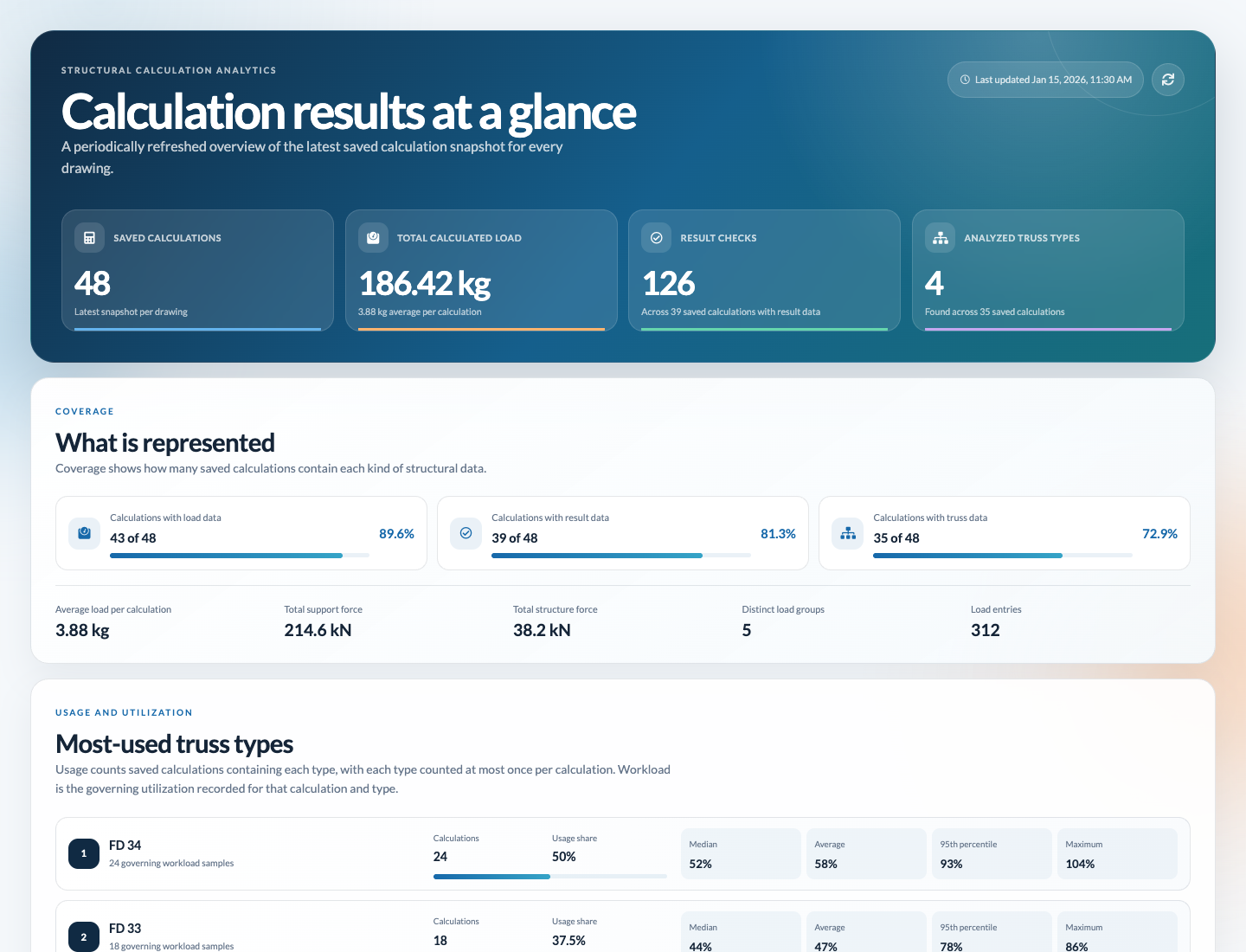
At the top, the page shows when the statistics were last updated and provides Reload statistics. The four figures below give a quick overview:
The What is represented section shows how many saved calculations contain load, result, and truss data. Additional figures summarize average calculation load, support and structural forces, load groups, and load entries.
Most-used truss types ranks truss types by how often they appear in calculations. A type is counted no more than once per calculation. Usage share and utilization figures such as the average, median, 95th percentile, and maximum help compare the saved results.
Workload health groups calculations according to their highest governing utilization:
The Result-type breakdown shows which structural checks appear in the saved snapshots. Counts and shares refer to the result checks shown.
Where calculated load comes from shows typical calculation loads and their distribution by load kind and load group. For each kind and group, the page shows load entries, the calculations that contain them, and their share of the total load. Support and structural forces also appear when available.
Monthly activity groups saved calculation snapshots by the month they were last saved. The chart shows the count, total load, and average load per calculation for each month. Older snapshots without an update date are assigned to their original save month.
The Wind-load coverage section appears when saved snapshots contain wind entries. It summarizes the calculations with wind data, the number of wind entries, the peak total force, and the total effective area.
Select Reload statistics to retrieve the latest published statistics snapshot again. This does not start an individual structural calculation. The displayed update time shows when the snapshot in use was generated.
If there are no saved calculation snapshots yet, the page reports this and also offers a reload. While the first shared snapshot is being generated, the page shows a preparation status and retries automatically. For another loading error, select Try again. If the error persists, check your connection and access rights.
The values on this page are summarized planning data. For a specific structure, continue to review its drawing and complete calculation report.